
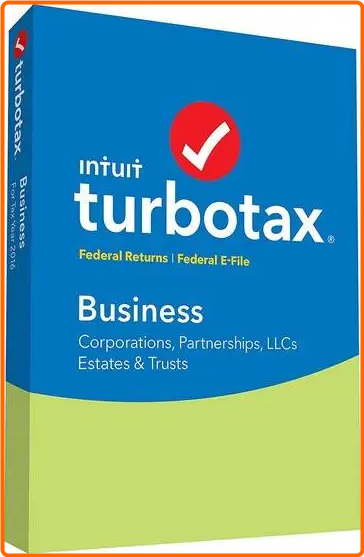
Get a head start on your 2024 taxes. File your tax return electronically to receive your fastest tax refund possible. Connect with an expert in a click and get answers when you need them with SmartLook™. Every personal TurboTax return is backed by our Audit Support Guarantee for free one-on-one audit guidance from a trained tax professional. And much more!
Guidance for homeowners
Your biggest investment might also be your biggest tax break-mortgage interest, property taxes, and more.
Deduction finder
We'll search for more than 350 tax deductions and credits to get you the biggest tax refund-guaranteed.
Complex life, simplified taxes
We'll guide you through life changes and their impact on your taxes, so you get every tax deduction and credit.
Deduct your donations
We'll help you track and value items you donate to charities with ItsDeductible™.
Audit Risk Meter™
Reduce your chance of a tax audit when we check your return for audit triggers and show your risk level.
Guidance for homeowners
Your biggest investment might also be your biggest tax break-mortgage interest, property taxes, and more.
Deduction finder
We'll search for more than 350 tax deductions and credits to get you the biggest tax refund-guaranteed.
Deduct your donations
We'll help you track and value items you donate to charities with ItsDeductible™.
Complex life, simplified taxes
We'll guide you through life changes and their impact on your taxes, so you get every tax deduction and credit.
Audit Risk Meter™
Reduce your chance of a tax audit when we check your return for audit triggers and show your risk level.
Education tax credits
If you or your children attended college or trade school, we'll help you find refund-boosting education tax credits and deductions (1098-E, 1098-T) for tuition, books, and student loan interest.
No tax knowledge needed
We'll ask you easy questions about your year and fill in the right tax forms for you.
Personalized to your unique situation
We ask questions to get to know you. Then, based on what you tell us, we'll search for every tax credit that applies to you.
Answers as you go
Free U.S.-based product support and easy-to-understand answers online 24/7.
Thousands of error checks
You won't miss a thing, we'll double-check your tax return for accuracy before you file.
Get tax deductions for your dependents
We'll show you who qualifies as your dependent, and find tax-saving deductions and credits like the Child & Dependent Care Credit, Earned Income Credit (EIC), and child tax credit.
Finish your state return faster
Once you complete your federal taxes, we can transfer your information over to your state return to help you finish quickly and easily.
Go at your own pace-no appointment necessary
Finish your tax return in one visit or do a little at a time. We automatically save your progress as you go, so you can always pick up where you left off.
Automatic import of your W-2 and 1099 info
Automatically import your W-2 from over a million employers, and your 1099 tax form data from participating
financial institutions.
Get a head start
We'll automatically import your information from last year's TurboTax return to help save time and increase accuracy. We'll even import personal information about you and your family if you prepared your taxes with TaxAct or H&R Block CD/Download software.
System Requirements
- Windows 8.1 or later (Windows 8 not supported)
- Specific Win OS: Windows 8.1, Windows 10, Windows 11
- RAM: 2 GB or more recommended.
- Hard Disk Space: 1 GB for TurboTax
- Monitor: 1024x768 or higher recommended
- Third Party Software: Microsoft .NET 4.5.2 (included with TurboTax Installer)
- Visual c++ runtimes
⋆- - - - -☽───⛧ ⤝❖⤞ ⛧───☾ - - - -⋆
 Intuit TurboTax Home & Business (All Editions) US 2024 + Patch
  (357.32 MB)
ClickNUpload Link(s)
Code:
RapidGator Link(s)
Code:
